In 2026, launching a blog is easy, but launching a high-performance blog that ranks on page one is a technical challenge. With search engines now prioritizing user experience signals and Core Web Vitals more than ever, a “standard” setup is no longer enough. You need a site that is lean, secure, and optimized for speed from day one.
The most effective way to stand out is to build with a “performance-first” mindset. This step-by-step guide to building a WordPress blog from scratch will skip the bloat and show you how to create a professional, lightning-fast platform using modern 2026 standards.


1. Choosing the Right Infrastructure (Hosting & PHP)
Performance begins at the server level. Based on industry research, shared hosting is often the bottleneck for new blogs.
- Go for Managed Hosting: Look for providers offering NVMe storage and LiteSpeed servers.
- PHP 8.4+: Ensure your server is running the latest stable PHP version. It offers significant execution speed improvements over older versions like 7.4.
2. Selecting a “Clean” Foundation (Theme Selection)
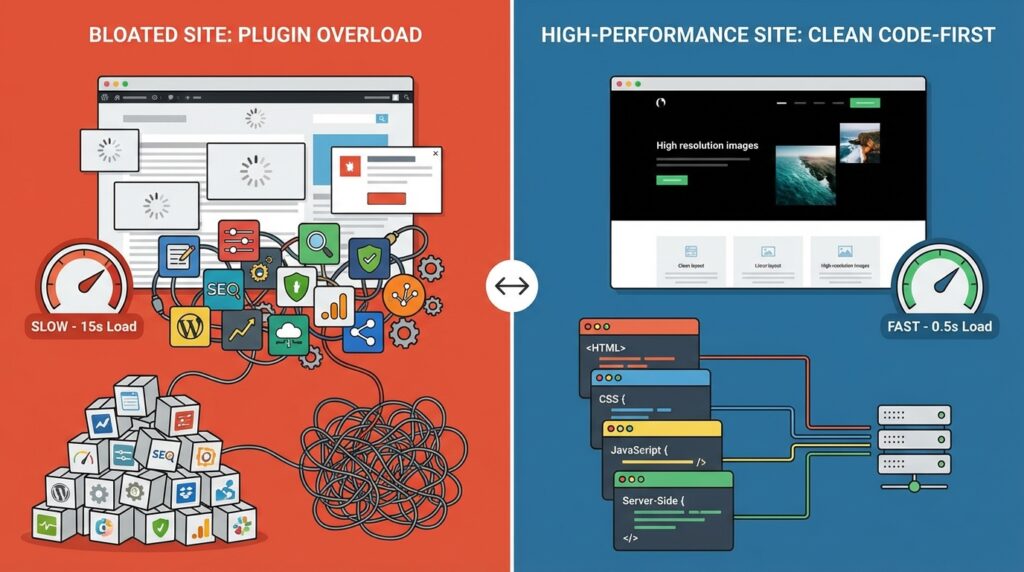
A common mistake to avoid is picking a theme based only on looks. Many “feature-rich” themes come with heavy page builders that kill your performance.
- Block-Based Themes: In 2026, use the Full Site Editing (FSE) features of WordPress. Themes like GeneratePress or Blocksy are incredibly lightweight.
- Avoid Heavy Page Builders: Unless necessary, stay away from plugins that add excessive DOM depth.
3. Essential “No-Bloat” Setup
Before you write your first post, configure these core settings for maximum efficiency:
- Permalink Structure: Set to
/%postname%/for SEO-friendly URLs. - Disable Unused Features: Use code snippets to disable emojis, embeds, and XML-RPC if you don’t need them.
- Database Optimization: As we’ve discussed previously, limit your post revisions early to keep your database lean.
4. Implementing Modern Performance Techniques
To hit that 100/100 PageSpeed score, you must implement these 2026 standards:
- System Fonts: Avoid loading external Google Fonts; use system font stacks to eliminate layout shifts (CLS).
- Lazy Loading: Ensure native lazy loading is active for all images and iframes.
- Local Avatar Caching: If you have a comment section, cache Gravatars locally to reduce external requests.
5. SEO Configuration with RankMath
Once the foundation is built, install RankMath and use the Setup Wizard.
- Enable Schema Markup (Article and FAQ).
- Use the Role Manager to keep your workspace clean.
- Connect your Google Search Console immediately to track your growth.
Final Thoughts
Building a high-performance blog in 2026 isn’t about how many plugins you can add—it’s about how many you can avoid. By focusing on clean code, fast hosting, and native WordPress features, you create a platform that users love and search engines reward.