

In 2026, a “Calendar” is no longer just a digital version of a paper diary. We have entered the era of Contextual Scheduling. In a world of hybrid work, global time zones, and “Meeting Fatigue,” your calendar must be more than a grid; it must be an Active Filter that protects your deep-work hours and automates your administrative friction.
The “Golden Rule” of 2026 time management is Proactive Blocking. If you do not tell your calendar what you are doing, someone else will. The platforms that have dominated 2026 are those that offer Cross-Platform Connectivity, Natural Language Entry, and Automated Buffer Times.
The most effective way to reclaim your focus today is to treat your calendar as a “Hard Constraint” rather than a “Suggestion.” This step-by-step guide to the top 5 free calendar tools of 2026 will show you how to build a bulletproof schedule for $0.
1. Google Calendar: The Ecosystem Engine
In 2026, Google Calendar remains the undisputed king of “Universal Access.” Because it is baked into every Android device and Google Workspace account, it is the “Default Setting” for the modern world. However, its 2026 features have moved it far beyond a simple planner.
- AI-Powered “Time Insights”: New for 2026, Google Calendar provides a weekly breakdown of how you spent your time. It categorizes your entries into “Focus Time,” “Meetings,” and “Admin.” If you spent 80% of your week in meetings and 0% on your WordPress plugin development, the AI will warn you of “Burnout Risk.”
- The “Appointment Schedule” (Free Tier): In a massive shift, Google now allows free users to create a basic “Booking Page.” You can send a link to clients, and they can book 15-minute slots in your open gaps. This effectively kills the need for a paid Calendly subscription for solo creators.
- Layered Multi-Calendar Views: You can create separate calendars for “Work,” “Sattive Dev Labs,” “Health,” and “Personal.” In 2026, the power lies in “Toggling.” You can hide your work stress with one click to focus on your family plans, ensuring a true work-life separation.
- Seamless Task Integration: Google Tasks and Google Calendar are now a single “View.” When you drag a task onto the calendar, it becomes a “Time Block.” In 2026, if a task doesn’t have a time assigned to it, it is just a wish.
A common mistake to avoid is “Calendar Overcrowding.” In 2026, the most productive people leave 30-minute “Buffer Gaps” between every meeting. If your calendar looks like a solid block of color, you have no time to think, eat, or react to emergencies.
2. Microsoft Outlook Calendar: The Professional Powerhouse
If Google is for “Creators,” Outlook is for the “Enterprise Professional.” In 2026, Microsoft has overhauled the free web version of Outlook to be faster and more “AI-Integrated” than ever before.
- The “Board” View: This is Outlook’s secret weapon. Instead of just a grid, you can view your calendar as an Infinite Canvas. You can pin your calendar, your to-do list, your “Flagged Emails,” and your sticky notes side-by-side. In 2026, this is the ultimate “Command Center” for a project manager.
- Natural Language Event Creation: You can type “Lunch with Dev Team at 1 PM tomorrow,” and Outlook intelligently creates the event, finds the location on the map, and checks the weather. It removes the “Menu Friction” that makes people stop using calendars.
- RSVP with “In-Person” or “Virtual”: In the hybrid world of 2026, Outlook allows you to tell the host how you are attending. This automates the “Where are we meeting?” back-and-forth emails that waste hours of productive time.
- Shared “Family” Calendars: Microsoft’s free tier includes an “Organized Family” feature. You can have one shared calendar where everyone’s soccer games, doctor appointments, and school events live, with automated “Departure Alerts” that account for real-time traffic.
3. Proton Calendar: The Privacy Fortress
For the “Security-Conscious” developer or the brand that values Data Sovereignty, Proton Calendar is the 2026 leader. Based in Switzerland, it offers End-to-End Encryption for your entire life.
- Encrypted Everything: Google and Microsoft can technically “read” your calendar to show you ads. Proton cannot. Your doctor’s appointments, your secret product launches, and your private meetings are encrypted on your device before they ever hit the cloud.
- The “Anonymous” Link: You can share your calendar availability without revealing your identity or your other events. In 2026, this “Privacy-First” scheduling is a massive trend for freelancers who value their digital footprint.
- Cross-Proton Integration: It syncs perfectly with Proton Mail and Proton Drive. If you receive an encrypted invite in your mail, it appears on your calendar without “Decrypting” it to the open web, maintaining a total security loop.
- Zero-Ad Experience: Because you aren’t the product, there are no “Suggested Events” or “Sponsored Tasks.” It is a clean, minimalist interface that focuses entirely on your time, not your data.
4. Apple Calendar: The “Hardware-Locked” Minimalist
If you live in the Apple Ecosystem (iPhone, Mac, Apple Watch), there is no faster tool than the native Apple Calendar. In 2026, its integration with Siri and “Focus Modes” makes it a high-performance tool for mobile users.
- Siri “Proactive” Suggestions: In 2026, Siri scans your “Confirmations” in Mail and Messages. If you book a flight or a dinner, Siri asks: “I found an invite for dinner—should I add it to your calendar?” It is the “Zero-Effort” way to stay organized.
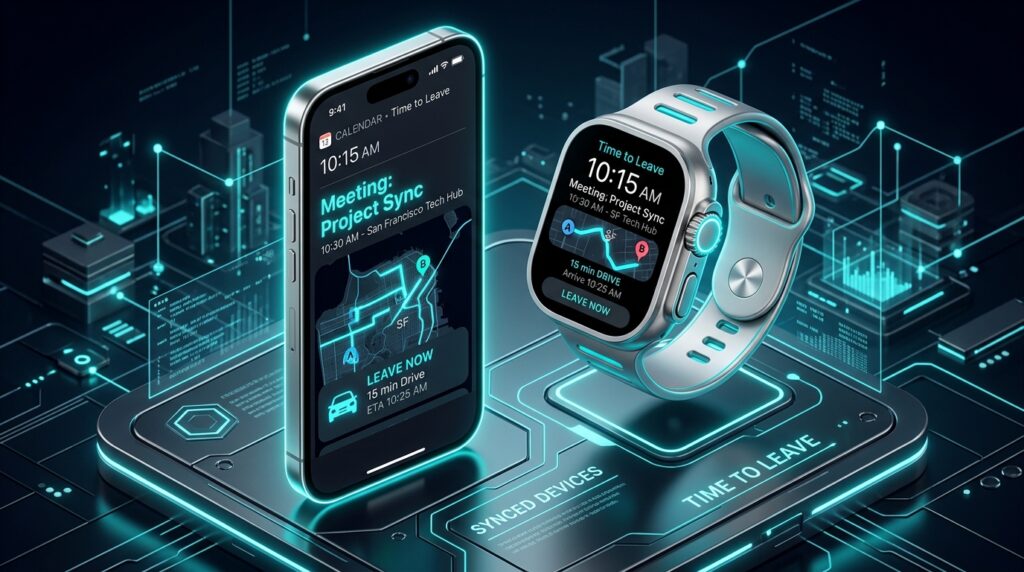
- Travel Time Calculations: When you add a location to an event, Apple Calendar monitors real-time traffic. It will send you a notification saying: “Leave now to arrive on time for your meeting,” and it even accounts for the “Walking Time” from the parking lot.
- Focus Filter Integration: In 2026, you can set “Focus Filters.” When you turn on “Work Focus,” Apple Calendar automatically hides your “Personal” and “Home” entries. When you’re at the gym, it only shows your “Fitness” schedule.
- Clean, Typography-First Design: Apple remains the leader in UI/UX. The calendar is designed to be readable at a glance on an Apple Watch or a Lock Screen widget, making it the #1 choice for “On-the-Go” professionals.
5. TimeTree: The “Shared Life” Specialist
TimeTree has exploded in popularity in 2026 as the best free tool for Groups. Whether it’s a small startup team, a group of roommates, or a family, TimeTree is designed for “Collective Planning.”
- The “Social” Calendar: Every event in TimeTree has its own Comment Section. You don’t need to go to WhatsApp to discuss a meeting. You can chat, upload photos, and “Like” updates directly inside the calendar event.
- Multiple “Group” Calendars: You can have one calendar for your “Rock Band,” one for your “App Development Team,” and one for your “Partner.” They all stay separate, ensuring your “Work” friends don’t see your “Laundry” schedule.
- Public Event Calendars: In 2026, TimeTree allows you to follow “Public Calendars.” You can follow the release schedule of your favorite tech brand or the local community event list, and those events appear as a “Ghost Layer” over your own schedule.
- Memo & List Integration: TimeTree includes a “Keep” section for lists that aren’t tied to a date yet (like “Gift Ideas” or “Project Brainstorms”). It is the most “Human” calendar on this list, acknowledging that life is more than just appointments.
Comparison: Which 2026 Calendar Matches Your Life?
| Platform | Best For | 2026 “Pro” Feature | Ecosystem |
| Google Cal | Everyone / Creators | Free Booking Pages | Android / Web |
| Outlook | Professionals | Board View Dashboard | Windows / Web |
| Proton | Security Advocates | End-to-End Encryption | Privacy-First |
| Apple Cal | Mac/iPhone Users | Siri Travel Alerts | iOS / MacOS |
| TimeTree | Teams & Families | Event Chat & Comments | Mobile-First |
The 2026 “Calendar Mastery” Routine: 3 Steps to Success
A calendar is only as good as your Review Ritual. To ensure you actually reach your goals in 2026, follow the “Triple-Check” protocol:
- The “Sunday Night Sync” (The Week Ahead): Spend 15 minutes every Sunday night looking at your next 7 days. Identify your “Deep Work” blocks and move them to your most productive hours.
- The “Morning Buffer” (Daily): Look at your calendar every morning. Did a new meeting appear? Is there traffic? Use the “Travel Time” features in Apple or Google to ensure you aren’t rushing.
- The “Friday Audit” (The Review): Look back at your GA4-style ‘Time Insights’ in Google Calendar. Did you spend your time on your #1 goal? If not, adjust your “Hard Constraints” for next week.
Final Thoughts
In 2026, your calendar is the “Visual Map” of your values. If you say you value “Building Software,” but your calendar is full of “Passive Meetings,” you are lying to yourself.
By leveraging the “Booking Power” of Google, the “Board View” of Outlook, or the “Privacy” of Proton, you are effectively hiring a digital chief of staff for $0. The tools are free. The time is finite. Your only job now is to Protect the White Space.






Leave feedback about this