



In 2026, the barrier between “Amateur” and “Professional” audio has been completely dismantled by Generative AI and Cloud-Based Processing. We have entered the era of Intelligent Editing, where removing background noise, leveling voices, and even “repairing” low-quality microphone recordings can be done with a single click. Whether you are producing a meditation track, editing a food-facts podcast, or mixing music for a YouTube intro, your audio quality is the “Hidden Metric” that determines your brand’s authority.
The “Golden Rule” of 2026 audio production is Source Integrity. While AI can fix a lot, the best results still come from a clean initial recording. The tools that have dominated 2026 are those that offer a hybrid approach: Traditional Waveform Precision combined with Modern AI Neural Filters.
The most effective way to elevate your content today is to treat audio as 50% of the viewer experience. This step-by-step guide to the top 5 free audio tools of 2026 will show you how to build a professional-grade sound studio for $0.
1. Audacity: The Open-Source Legend (Now AI-Powered)
In 2026, Audacity remains the world’s most downloaded audio editor, but it is no longer the “clunky” tool of the past. Since its acquisition by Muse Group, it has transformed into a modern powerhouse that supports Non-Destructive Editing and AI-driven effects.
- OpenVINO AI Plugins: New for 2026, Audacity has integrated Intel’s OpenVINO toolkit. You can now perform “Remixing” (separating a song into vocals and instruments) and “Noise Suppression” directly inside the app using your computer’s local AI processing.
- Non-Destructive Effects: For years, Audacity was a “destructive” editor (meaning once you applied an effect, the original waveform was changed). In 2026, it features a “Real-Time Effects” stack, allowing you to tweak your EQ and Compression while the audio plays, without permanently altering the file.
- Cloud Saving via Audio.com: Audacity now offers free cloud storage through its sister site, Audio.com. You can save your projects to the cloud, allowing you to start an edit on your desktop and share a preview link with a client or collaborator instantly.
- Massive Plugin Library: It supports VST3, AU, and LV2 plugins. In 2026, you can find thousands of free “Boutique” plugins online to give your voice that “Radio Warmth” or add “Cinematic Reverb” to your music tracks.
A common mistake to avoid is ignoring the “Spectrogram View.” In 2026, many audio issues (like a high-pitched electronic hum) are invisible in the standard waveform. Switch to Spectrogram view to “see” the frequencies and use the Spectral Delete tool to surgically remove unwanted noises.
2. Tenacity: The Privacy-First Alternative
If you love the power of Audacity but are wary of data collection, Tenacity is the 2026 champion of the “Privacy-Conscious” creator. Born as a fork of Audacity, it is maintained by a global community that promises 0% Telemetry and 100% Open-Source transparency.
- Telemetry-Free Editing: Tenacity contains no “phone home” code. It is the #1 choice for journalists, developers, and brands that handle sensitive or proprietary audio data that must stay offline.
- Modernized UI: While Audacity has gone in a “Cloud-First” direction, Tenacity has focused on Workflow Efficiency. It features a cleaner “Dark Mode” and a more intuitive toolbar layout that reduces the number of clicks needed for common tasks like “Trimming” and “Normalizing.”
- Advanced “Focus” Modes: New for 2026, Tenacity includes a “Voiceover Mode” that automatically configures the interface for spoken-word recording, hiding musical tools like “Metronomes” to keep your workspace clutter-free.
- Cross-Platform Parity: Whether you are on Windows (including ARM64), macOS, or Linux, Tenacity runs natively with zero performance lag. It is often faster than Audacity on older hardware because it lacks the heavy cloud-integration background processes.
3. BandLab (Web-Based): The Collaborative DAW
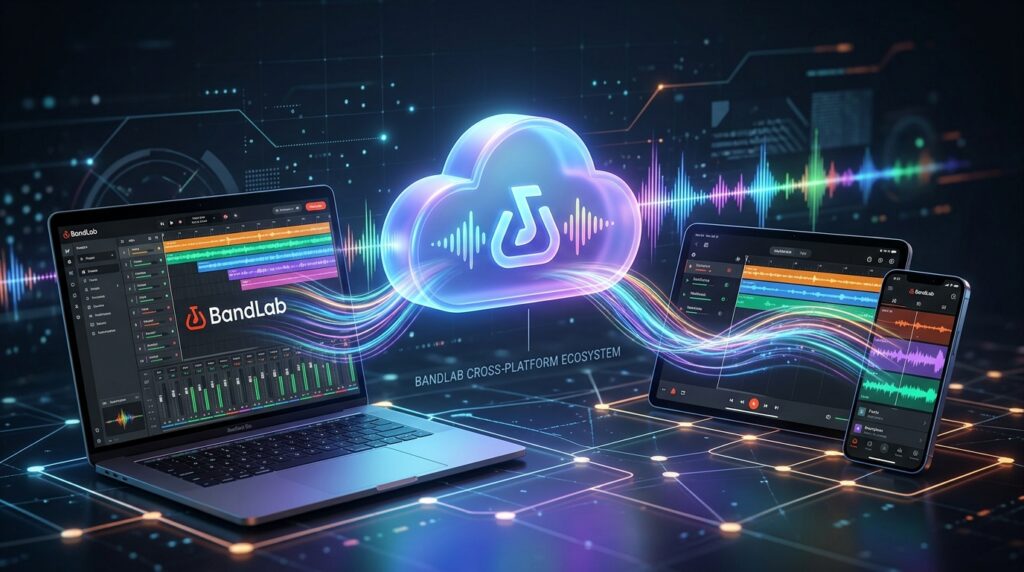
BandLab has officially become the “Google Docs of Audio” in 2026. It is a fully functional Digital Audio Workstation that runs entirely in your web browser, making it the best choice for teams and mobile-first creators.
- 16-Track Mix Editor: You can record and mix up to 16 tracks for free in the cloud. It includes a massive library of Virtual Instruments (pianos, synths, drums) and Pro-Grade Effects (compression, reverb, and a legendary “Auto-Pitch” for vocals).
- Real-Time Collaboration: You can invite a co-host or a musician to your project. You can both see the timeline and make edits simultaneously. In 2026, this has replaced the slow process of “Emailing MP3s” back and forth.
- The “Fork” Feature: Much like GitHub, BandLab allows you to “Fork” public projects. If someone uploads a great meditation beat, you can fork it, add your own voiceover, and publish your version to the BandLab social network.
- Unlimited Cloud Storage: Unlike other “Free” DAWs that cap your projects, BandLab allows for Unlimited Projects and Unlimited Downloads. It is the most generous business model in the audio industry today.

4. Ocenaudio: The “No-Fuss” Waveform Specialist
For the creator who finds Audacity too complex and BandLab too “musical,” Ocenaudio is the 2026 leader in Efficiency. It is a lightweight, incredibly fast editor designed for “Quick-Turnaround” tasks like cleaning up a voiceover or trimming a music clip.
- Real-Time Preview of Effects: This is Ocenaudio’s “Killer Feature.” When you adjust an EQ or a Filter, you hear the change immediately as you move the slider. There is no “Apply” button and no waiting for the file to process.
- Multi-Selection Editing: You can select multiple parts of an audio file simultaneously and apply an effect (or delete them) all at once. In 2026, this is a massive time-saver for removing “Ums” and “Ahs” from a long recording.
- Superior Memory Management: Ocenaudio is designed to handle Extremely Large Files (hours-long recordings) without crashing your computer. It doesn’t load the whole file into RAM, making it the most stable tool for editing long-form audiobooks or conference recordings.
- Spectral Analysis: Despite its simplicity, it includes a professional-grade Spectrogram. For a developer or a technical creator, this provides the “Deep Data” needed to analyze signal-to-noise ratios and audio fidelity.
5. Adobe Podcast Enhance: The AI “Magic Wand”
In 2026, Adobe Podcast Enhance (formerly Project Shasta) is the undisputed king of AI Restoration. It is not a full “Editor,” but it is an essential tool for “Fixing” audio that was recorded in a bad environment.
- “Studio Sound” AI: You can upload a recording made on a cheap smartphone in a noisy room, and the AI will “reconstruct” the voice. It removes echo, background hum, and wind noise, making it sound like it was recorded on a $500 microphone in a professional studio.
- Free Daily Limit: In 2026, the free tier allows you to process up to 1 hour of audio per day (with 30-minute individual file limits). For a weekly podcaster, this is a massive professional upgrade for zero cost.
- Mic Check Tool: Before you even hit record, Adobe’s “Mic Check” uses AI to analyze your room’s acoustics. It tells you if you are too close to the mic or if your room is “too echoey,” helping you fix the sound before the recording starts.
- Transcript-Based Editing (Beta): The free “Studio” tool allows you to edit audio by editing text. If you delete a sentence in the transcript, the AI deletes the corresponding audio. This “Text-to-Audio” workflow is the future of podcast editing in 2026.
Comparison: Which Audio Tool Matches Your Project?
| Platform | Best For | Focus | 2026 “Pro” Feature |
| Audacity | Podcasters / All-rounders | Versatility / AI | OpenVINO AI Effects |
| Tenacity | Privacy-Conscious Devs | Security / Privacy | 0% Telemetry Tracking |
| BandLab | Musicians / Teams | Collaboration / DAW | Unlimited Cloud Projects |
| Ocenaudio | Voiceover / Quick Edits | Speed / UX | Real-Time Effect Preview |
| Adobe Enhance | Restoration / Beginners | AI Reconstruction | ‘Studio Sound’ Cleanup |
The 2026 “Pro-Sound” Routine: 3 Steps to Success
Good audio isn’t about the software; it’s about the Workflow. To ensure your projects sound elite in 2026, follow the “Clean-Carve-Level” protocol:
- Phase 1: The “AI Clean” (Adobe Podcast): If you recorded in a bedroom or a noisy office, run your raw vocal track through Adobe Podcast Enhance. This removes the “Room Sound” and provides a clean, professional foundation.
- Phase 2: The “Spectral Carve” (Audacity / Ocenaudio): Open the cleaned file in Audacity. Use the High-Pass Filter to cut everything below 80Hz (this removes low-end rumble). Use the Compressor to even out the volume so the quiet parts are audible and the loud parts aren’t clipping.
- Phase 3: The “Final Level” (Loudness): Ensure your final export is at the correct “Loudness” standard (usually -16 LUFS for podcasts or -14 LUFS for YouTube). This ensures your audio doesn’t sound “too quiet” when played next to a professional show.
Final Thoughts
In 2026, Audio is Authority. People will forgive a blurry video, but they will “unplug” from a podcast or a video with poor sound quality in seconds.
By leveraging the AI power of Audacity, the collaborative freedom of BandLab, or the “Magic Wand” of Adobe Enhance, you are building a professional audio brand for $0. The tools are free. The processing is intelligent. Your only job now is to Find Your Voice.






