



In 2026, the greatest mistake a creator can make is being a “One-and-Done” Publisher. We live in a fragmented digital landscape where your audience is spread across TikTok, LinkedIn, Instagram Reels, YouTube Shorts, and Threads. If you spend 20 hours creating a single long-form YouTube video and only post it to YouTube, you are leaving 90% of your potential reach on the table. You are working for the platform, rather than making the platform work for you.
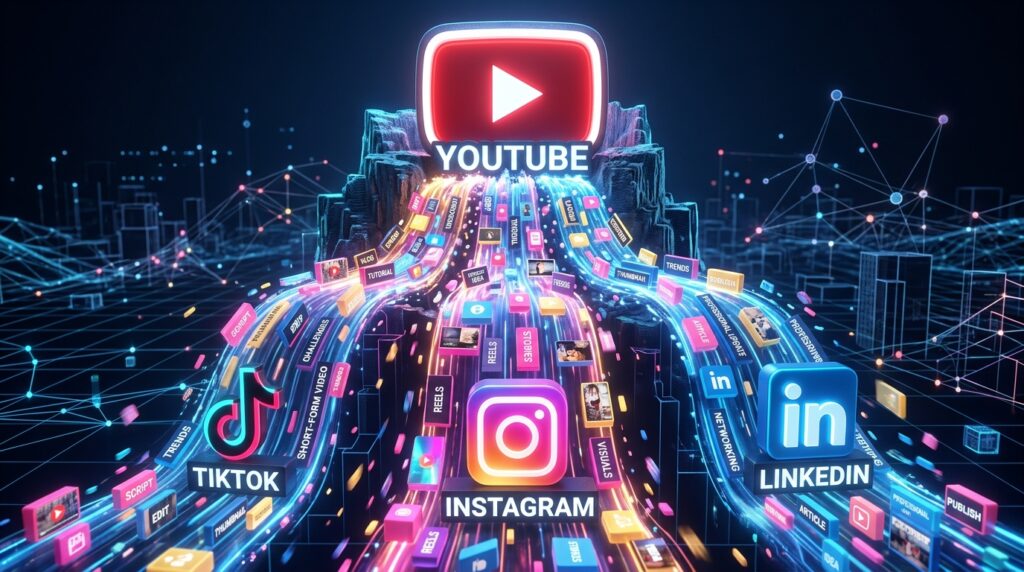
The “Golden Rule” of 2026 growth is Create Once, Distribute Everywhere. We have entered the era of Atomization—the process of breaking a single “Macro” piece of content into dozens of “Micro” assets.
However, doing this manually is a nightmare. It involves endless resizing, captioning, and re-editing. The platforms that have dominated 2026 are those that use Generative AI to handle the heavy lifting: identifying viral “hooks,” auto-reframing horizontal video to vertical, and drafting platform-specific captions in seconds.
The most effective way to scale your brand today is to build a “Content Waterfall.” This step-by-step guide to the top 5 free content repurposing tools of 2026 will show you exactly how to build a 24/7 omnipresence for exactly $0.
1. OpusClip: The “Viral Moment” Scout
In 2026, OpusClip remains the undisputed king of video atomization. It is an AI-powered tool that takes a long-form video (like a podcast or a tutorial) and automatically chops it into high-engagement short-form clips.
- AI Virality Score: OpusClip doesn’t just cut your video randomly. It analyzes your footage against thousands of trending videos to identify “Hooks” and “High-Value Moments.” It then gives each clip a “Virality Score,” telling you which ones have the highest chance of blowing up on the TikTok or Reels algorithm.
- Auto-Reframe & Face Centering: This is the 2026 standard. If you have a horizontal interview, the AI identifies the speaker and automatically crops the video to a 9:16 vertical format, keeping the speaker’s face centered at all times. You don’t have to touch a single keyframe.
- Dynamic AI Captions: In 2026, 80% of social media users watch video with the sound off. OpusClip generates high-energy, colorful captions (like the “Alex Hormozi” style) that sync perfectly with your speech, significantly increasing your audience retention.
- The Free “Trial” Tier: OpusClip offers a very generous free credits system for new users. For a solo creator launching a new brand like Sattive Dev Labs, you can process your first few macro-videos for free, generating enough short-form content to fill your calendar for a month.
A common mistake to avoid is accepting the AI’s first draft without review. While OpusClip is brilliant, it might miss the nuance of a technical joke or a specific coding reference. Spend 5 minutes “Polishing” the captions to ensure your brand’s voice remains authentic.
2. Munch: The “Context-Aware” Editor
Munch has exploded in popularity in 2026 because it doesn’t just look at “audio spikes”—it understands the Content. It is the best tool for repurposing educational content, tutorials, and business presentations.
- Social Trend Integration: Munch analyzes the current trending topics on TikTok and Instagram. It then looks at your video and says: “This 30-second segment about WordPress plugins matches a current trend in the ‘No-Code’ niche.” It aligns your repurposed clips with what people are already searching for.
- Multi-Platform Captioning: Munch generates captions tailored to the specific “Vibe” of each platform. It will give you a professional, emoji-light caption for LinkedIn and a high-energy, hashtag-heavy caption for TikTok from the same source clip.
- Native Keyword Extraction: As it processes your video, Munch extracts the most important “Keywords” and “Topics.” In 2026, this is vital for Social SEO—ensuring your clips are categorized correctly by the platform’s internal search engines.
- Seamless Export to Schedulers: Munch allows you to send your finished clips directly to tools like Buffer or Metricool (which we’ve discussed before), closing the loop between “Repurposing” and “Publishing.”
3. Canva (Magic Switch): The Visual Multitasker
For the graphic designer and UI/UX professional, Canva is the ultimate 2026 tool for repurposing static and visual content. Their “Magic Switch” feature (integrated into the free tier for basic users) is a productivity miracle.
- One-Click Resizing: You design a high-quality “Food Fact” infographic for your blog. With “Magic Switch,” you can instantly convert that design into an Instagram Story, a Pinterest Pin, and a LinkedIn Carousel. It automatically adjusts the elements to fit the new dimensions.
- Text-to-Presentation: If you have a long blog post, you can paste the text into Canva, and its AI will generate a 10-slide “Presentation” or “Carousel” that summarizes the key points. In 2026, carousels are the highest-reaching format on LinkedIn and Instagram.
- Video-to-GIF / Animation: Canva allows you to take small snippets of your videos and turn them into “Brand Stickers” or animated GIFs. These “Micro-Assets” are perfect for adding personality to your email marketing newsletters or your WordPress site.
- Brand Kit Consistency: Even on the free tier, you can save your brand colors and fonts. This ensures that when you repurpose a “Child’s Book Illustration” into a promotional flyer, the visual identity remains 100% consistent.

4. Podcastle: The “Audio-to-Anything” Engine
If you are creating audio content—like meditation tracks, podcast interviews, or even voiceovers for your children’s books—Podcastle is the 2026 leader for turning audio into visual and text assets.
- High-Accuracy Transcription: Podcastle’s AI transcription is world-class. You can take a 30-minute audio file and instantly get a perfectly formatted text transcript. In 2026, this transcript becomes the “Seed” for your blog posts, tweets, and show notes.
- “Magic Dust” Audio Enhancement: If you recorded your audio in a noisy room, Podcastle’s free “Magic Dust” tool removes background noise and levels the audio, making a “Home Recording” sound like it was done in a studio.
- Audiogram Generation: This is a core repurposing move. Podcastle takes a “Gold Nugget” clip from your audio and generates a visual Audiogram—a video with a moving waveform and captions. This allows you to post “Audio” to Instagram and TikTok effectively.
- AI Text-to-Speech (Re-voicing): If you realize you made a mistake in your recording, you can use their AI voices to “Patch” the audio without re-recording. Or, you can take a blog post and turn it into a high-quality “Audio Article” for your website.
5. Taplio (Free Tools Suite): The LinkedIn Powerhouse
For the professional developer or agency owner, LinkedIn is where the high-ticket clients live. Taplio (specifically their suite of free AI tools) is the 2026 secret to turning your technical knowledge into “Authority” posts.
- YouTube-to-LinkedIn Post: You paste a YouTube URL, and Taplio’s AI watches the video and writes a high-engagement LinkedIn “Story” or “Listicle” based on the content. It understands the “Professional Tone” required to get engagement on the LinkedIn feed.
- AI LinkedIn Carousel Generator: You can input a topic or a URL, and it will generate the text and layout for a “Swipeable Carousel.” In 2026, carousels get 5x more reach than standard image posts on LinkedIn.
- Viral Post Library: Taplio’s free search tool allows you to see the top-performing posts in your niche (e.g., “Web Development”). You can analyze these “Viral Structures” and repurpose your own ideas into these proven formats.
- Personal Branding “Stats” Check: See which of your repurposed posts are actually driving “Profile Visits.” In 2026, “Awareness” is fine, but “Profile Visits” are what lead to new plugin sales or freelance contracts.
Comparison: Which Repurposing Tool Matches Your Macro Content?
| Source Content | Best Tool | 2026 “Pro” Move | Output Formats |
| Long-form Video | OpusClip | Use AI Virality Scores | TikTok / Reels / Shorts |
| Educational Video | Munch | Align with TikTok Trends | Social SEO Clips |
| Blog Posts / Art | Canva | One-Click Carousels | IG / Pinterest / LinkedIn |
| Podcasts / Audio | Podcastle | Generate Audiograms | Visual Audio / Text |
| Expertise / News | Taplio | YouTube-to-LinkedIn | LinkedIn Carousels |
The 2026 “Omnipresence” Workflow: 3 Steps to 10x Reach
Repurposing is only effective if it is Systematic. To move from “One Video” to “Total Dominance,” follow the “Waterfall Protocol”:
- The “Macro” Launch (Monday): Publish your high-effort piece (e.g., a 15-minute YouTube video or a 2,000-word blog post). This is the “Parent” asset.
- The “Atomization” (Tuesday): Run your video through OpusClip and your blog post through Canva. Generate 10 vertical clips, 3 LinkedIn Carousels, and 5 Twitter (X) threads.
- The “Drip Feed” (Wednesday–Sunday): Use your scheduler to drip these assets out across the week. While you are already working on next week’s macro content, your brand is appearing on every platform, every day, automatically.
Final Thoughts
In 2026, “Working Harder” is a trap. The winners are those who Work Smarter by leveraging AI to multiply their output. You have spent the time to gain the knowledge and build the products—now it is time to ensure the world actually sees them.
By leveraging the “Viral Instinct” of OpusClip, the “Visual Magic” of Canva, and the “Audio Intelligence” of Podcastle, you are effectively hiring a 5-person media team for $0. The tools are ready. The algorithms are hungry. Your only job now is to Multiply.






