


In 2026, the traditional top-to-bottom Word document is fundamentally broken for the initial stages of creative work. We are dealing with complex, multi-layered systems: automated marketing funnels, intricate app architectures, and sprawling content ecosystems. When you try to force these multi-dimensional ideas into a linear bulleted list, you stifle your brain’s natural ability to recognize patterns and connect disparate concepts.
The “Golden Rule” of 2026 ideation is Spatial Relationships Before Linear Execution. You must map the “Whole” before you can write the “Parts.” A mind map mirrors the neural pathways of the human brain, allowing you to branch out from a central core concept into infinite, interconnected sub-ideas.
The platforms that have dominated 2026 are those that have moved beyond simple “bubbles and lines.” The best free tools today incorporate AI-Generative Branches, Presentation Modes, and Task Management Integrations.
The most effective way to conquer information overload today is to dump your raw thoughts onto an infinite canvas and let the structure reveal itself. This step-by-step guide to the top 5 free mind mapping websites of 2026 will show you exactly how to build a visual “Second Brain” for $0.

1. Xmind: The Aesthetic Offline Powerhouse
In 2026, Xmind remains the absolute gold standard for users who want a native, desktop-first experience that doesn’t rely on a constant internet connection. While it has a web version, its downloadable app is a masterclass in clean, distraction-free UI design.
- The “Zen Mode” Experience: When you need to focus, Xmind’s Zen Mode hides every single toolbar, menu, and distraction, leaving only your map and a dark background. In a 2026 world of constant notifications, this “Visual Silence” is critical for deep, uninterrupted brainstorming.
- Pitch Mode (Auto-Presentation): This is Xmind’s most powerful feature. With a single click, Xmind takes your complex mind map and automatically generates a beautiful, animated slide deck. It transitions smoothly from the core node to the outer branches. You can brainstorm a project and present it to a client 10 minutes later without ever opening PowerPoint.
- Structural Versatility: Xmind doesn’t just do traditional radial maps. You can seamlessly switch your data into a Fishbone Diagram (for cause-and-effect analysis), a Logic Chart (for coding algorithms), or a Timeline (for project planning) without losing any of your typed information.
- Generous Free Exporting: The free tier allows you to build unlimited maps and export them as high-resolution PNGs or PDFs (with a small, unobtrusive watermark). For solo creators and students, this is more than enough to share ideas effectively.
A common mistake to avoid is over-styling your map before you finish writing. Xmind offers beautiful color palettes and stickers, but adjusting colors while brainstorming interrupts your “Flow State.” In 2026, the rule is: Dump the text first, style the map second.
2. Miro: The “Infinite Canvas” Collaborator
If Xmind is a private sketchbook, Miro is a massive, wall-sized whiteboard in a bustling office. While technically a “visual workspace,” its dedicated mind-mapping widgets make it the 2026 leader for Multiplayer Brainstorming.
- The Infinite Whiteboard: A traditional mind map forces you to keep everything connected to a single central node. Miro gives you an infinite canvas. You can have a mind map on the left, a mood board of inspirational images in the center, and a Kanban board of actionable tasks on the right. It is the ultimate “Project War Room.”
- Real-Time Multiplayer: The free tier allows for unlimited team members. You can see your colleagues’ cursors flying around the screen in real-time, adding sticky notes and drawing connections. For a remote team designing a new app wireframe, this creates the energy of a physical room.
- The “3 Editable Boards” Free Tier: Miro’s free plan gives you 3 active boards. While this sounds limiting, an “Infinite Canvas” means a single board can hold an entire year’s worth of project maps. You simply zoom out and pan to a new empty section to start a new map.
- Developer & Agency Templates: Miro’s template library is heavily geared toward 2026 industry standards. It includes pre-built frameworks for Agile Workflows, User Story Mapping, and AWS Architecture Diagrams, making it the default choice for tech startups.
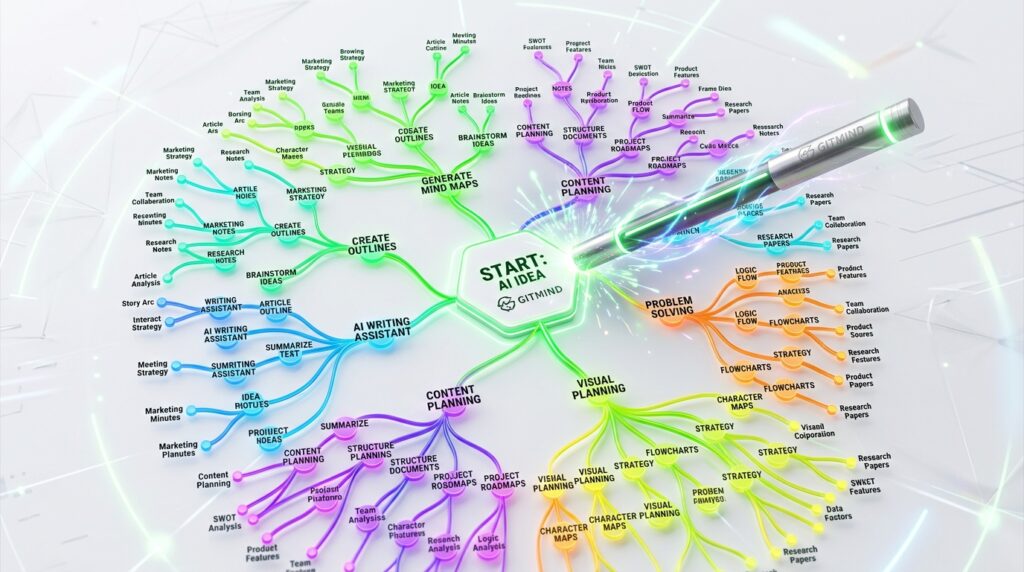
3. GitMind: The “AI-Generative” Brainstormer
GitMind has skyrocketed to the top of the 2026 charts by fully embracing the power of Large Language Models (LLMs). It is the perfect tool for the creator who is staring at a blank screen and needs a “Spark” to get the gears turning.
- AI Prompt-to-Map: This is the defining feature of GitMind in 2026. You can type a prompt like: “Create a content strategy mind map for a new fitness channel focusing on Kettlebell workouts.” Within 5 seconds, GitMind’s AI generates a fully fleshed-out map with branches for “Video Ideas,” “Target Audience,” “SEO Keywords,” and “Monetization.” It is the ultimate cure for writer’s block.
- Cross-Platform Cloud Sync: GitMind is completely cloud-based and syncs flawlessly between its web app, iOS, and Android applications. If you get an idea while on the train, you can add a node on your phone, and it will be waiting on your desktop when you arrive at the office.
- “Outliner” Bi-Directional Editing: Some people prefer typing bullet points; others prefer dragging visual nodes. GitMind allows you to view your map as a traditional “Outline” (like a Word doc). If you type a bullet point in the outline, it instantly appears as a bubble on the mind map, and vice-versa.
- Collaborative Link Sharing: The free tier allows you to generate a secure web link. You can send this link to a client, and they can view your map in their browser without needing to create a GitMind account.
4. Coggle: The Organic “Flowchart” Hybrid
For users who find traditional mind maps too rigid or “corporate,” Coggle is the 2026 champion of intuitive, organic design. It produces maps that look like hand-drawn, colorful vines, making it highly engaging for creative planning.
- Frictionless Google Drive Integration: Coggle is natively integrated with Google Workspace. You sign in with your Google account, and your mind maps are saved directly into your Google Drive alongside your Docs and Sheets. For a team already using the Google ecosystem, it is the most frictionless addition imaginable.
- Multiple Starting Points: Coggle breaks the strict “One Central Node” rule. You can create a map with three or four different central nodes that eventually link together. This makes it perfect for mapping out complex Automated Email Funnels or Choose-Your-Own-Adventure storylines.
- Markdown Support: Unlike tools that rely on clunky text-formatting menus, Coggle supports full Markdown. You can quickly add bold text, italics, or embedded web links to your nodes using simple keyboard symbols, allowing developers and writers to format at lightning speed.
- Visual History Tracker: Coggle saves every single change you make. Its “History” slider allows you to drag a bar back in time to see exactly what your map looked like 3 days ago. If you delete a massive branch by accident, you can instantly revert to a previous state for free.
5. MindMeister: The “Action-Oriented” Web Standard
MindMeister has been a staple in the industry for over a decade, but its 2026 iteration is highly focused on Bridging Ideation and Execution. It is the best tool for turning abstract thoughts into concrete tasks.
- Beautiful, Modern UI: MindMeister completely rebuilt its interface, resulting in the most beautiful web-based editor available. The nodes are clean, the typography is crisp, and the floating toolbars never get in the way of your data.
- MeisterTask Integration: This is why professionals choose MindMeister. Once your brainstorm is complete, you can drag and drop a node directly into MeisterTask (their sister project management app). A bubble that says “Design Logo” instantly becomes an assignable task with a due date. It closes the gap between “Planning” and “Doing.”
- Embedded Media and Attachments: MindMeister allows you to attach context to your ideas. You can embed live YouTube videos, attach PDF research documents, or link directly to external websites within a single node, turning your map into a centralized “Resource Hub.”
- The “3 Map” Free Limit (With a Loophole): The free tier limits you to 3 active maps. However, just like Miro, these maps are highly expansive. You can build a massive “Master Map” with links that bounce you to different sections, effectively managing an entire business from a single canvas.
Comparison: Which Free Mind Mapping Tool Matches Your Brain?
| Platform | Best For | Visual Style | 2026 “Pro” Feature |
| Xmind | Solo Deep Work | Polished / Structured | 1-Click Pitch Presentations |
| Miro | Remote Teams | Infinite Whiteboard | Multiplayer Cursors / Agile |
| GitMind | Speed & Brainstorming | Modern / Cloud | AI Prompt-to-Map Generation |
| Coggle | Visual Creatives | Organic / Colorful | Multiple Central Nodes |
| MindMeister | Project Managers | Clean / Corporate | Seamless Task Integration |
The 2026 “Neural Network” Protocol: 3 Steps to Clarity
A mind map is useless if it just becomes a chaotic web of text. To ensure your brainstorming actually leads to high-level execution, follow the “Capture-Categorize-Execute” workflow:
- Phase 1: The “Brain Dump” (The Core): Set a timer for 10 minutes. Create your central node (e.g., “Q3 Marketing Strategy”). Do not worry about structure. Rapidly add child nodes for every single idea, keyword, or task that comes to mind. If you are using GitMind, use the AI prompt to generate the first 20 ideas for you.
- Phase 2: The “Pruning” (The Branches): Once the timer goes off, stop generating. Now, group your chaotic nodes into 3 to 5 logical “Main Branches” (e.g., “Email,” “Social Media,” “Paid Ads,” “SEO”). Use color-coding to visually separate these territories.
- Phase 3: The “Leaf Action” (The Execution): Look at the furthest edges of your map (the “Leaves”). These should no longer be concepts; they should be Verbs. “SEO” is a branch. “Write 2,500 word article on Mind Mapping” is a leaf. Take these leaves and move them directly into your to-do list or MeisterTask.
Final Thoughts
In 2026, the ability to Visualize Complexity is a massive competitive advantage. When you can see the entire architecture of a project hovering in front of you, the path to execution becomes blindingly obvious.
By leveraging the presentation power of Xmind, the infinite collaboration of Miro, or the AI generation of GitMind, you are effectively upgrading your brain’s RAM for $0. The canvases are infinite. The tools are free. Your only job now is to Stop Scrolling and Start Mapping.






Leave feedback about this