


In the early days of the web, “free logo makers” were notorious for producing pixelated, clipart-style images that screamed “amateur.” Fast forward to 2026, and the landscape has undergone a radical transformation. Powered by sophisticated AI, high-performance web engines, and a shift toward “Agentic” design workflows, the best free logo makers can now generate brand identities that rival the work of boutique design agencies.
The most effective way to launch your business in 2026 is to focus on your product, not your overhead. Why spend $500 on a logo before you’ve even made your first sale? This step-by-step guide to the best free logo maker websites will reveal how to secure a professional, high-resolution, and commercially licensed brand mark for exactly $0.

1. Hatchful by Shopify: The “No-Catch” Champion
If you are looking for a tool that is truly, 100% free with no hidden “pay-to-download” tricks, Hatchful is the industry standard. Originally built by Shopify to help their merchants get online faster, it has evolved into a standalone powerhouse.
- The Zero-Cost Guarantee: Unlike competitors that let you design for free but charge $40 for the file, Hatchful allows you to download a complete “Brand Package” (including high-res PNGs and social media assets) for free.
- The Workflow: It uses a structured onboarding process. You tell Hatchful your industry (e.g., Tech, Fashion, Pets), your visual style (e.g., Bold, Reliable, Industrial), and it generates hundreds of unique variations.
- 2026 Upgrade: Hatchful 2026 now includes “Dynamic Icon Scaling,” ensuring that the logo you pick looks as sharp on a favicon (16×16) as it does on a massive store banner.
A common mistake to avoid is assuming “Free” means “Low Quality.” Hatchful’s templates are designed by professional graphic designers, ensuring that font pairings and color contrasts follow modern branding principles.
2. Canva Logo Maker: The King of Customization
Canva is the most popular design tool in the world for a reason. While Hatchful is great for “quick and easy,” Canva is for the entrepreneur who wants to get their hands dirty with the details.
- The Asset Library: Even on the free plan, you have access to millions of free icons, shapes, and premium-feeling fonts.
- The “Magic” of 2026: Canva’s 2026 update introduced “Magic Grab” for logos. If you like an icon but want to move a specific part of it, the AI can “detach” elements of a static graphic, allowing for unprecedented customization in a browser.
- The Trade-off: While the design is free, the “Transparent Background” and “SVG (Vector)” downloads are technically locked behind the Pro version. However, a “Pro” tip for 2026 is using a free external background remover to bypass this for digital use.
3. Adobe Express: The Professional Pedigree
Adobe Express is the “lite” version of Illustrator, and it brings the prestige of the Adobe ecosystem to the world of free web tools.
- Adobe Firefly Integration: In 2026, the logo maker is powered by Firefly AI. You can type a prompt like “A minimalist logo of a geometric fox for a cybersecurity firm” and it will generate an original vector icon from scratch—not just a template.
- High-End Typography: Access to a curated selection of the Adobe Fonts library means your wordmark will look significantly more “expensive” than logos using generic system fonts.
- Best For: Users who want a unique, AI-generated mark that doesn’t look like a standard template used by thousands of others.
4. Wixel (formerly Wix Logo Maker): The AI Consultant
Wixel has rebranded in 2026 to move away from just being a “website add-on.” It now acts as an AI branding consultant that asks you to “Vote” on different styles to learn your taste.
- The Choice Engine: It shows you two logos and asks, “Which do you prefer?” After 5–10 rounds, the AI builds a custom style profile for you.
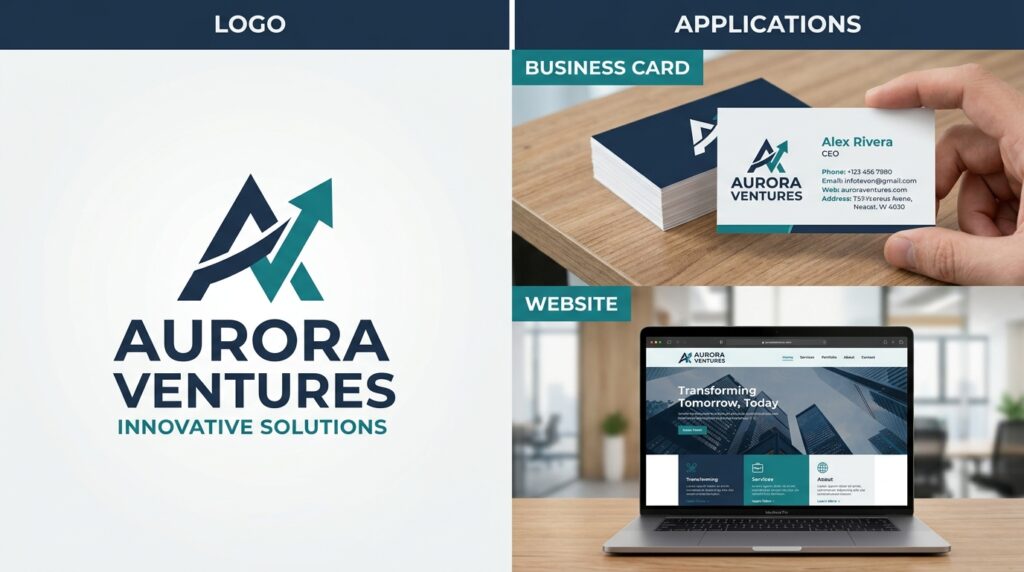
- Full Brand Identity: Wixel doesn’t just give you a logo; it shows you how that logo looks on business cards, t-shirts, and website headers in real-time.
- 2026 Edge: It now offers a “Free Sample” download that is high-enough resolution for most social media profiles, making it great for validating a new side hustle.
5. DesignEvo: The Template Titan
If you have a very specific vision in your head, DesignEvo likely has a template for it. With over 10,000+ templates, it has the largest library on this list.
- Category Depth: From “Law & Politics” to “Food & Drink,” the templates are hyper-niche. You won’t find generic “Abstract” marks here unless you want them.
- The Editor: It’s a “What You See Is What You Get” (WYSIWYG) editor. You can click any element, change its opacity, flip it, or add a shadow. It’s essentially a simplified version of Illustrator in your browser.
- Best For: Small local businesses (cafes, construction, salons) that need a logo that clearly communicates their industry at a glance.
2026 Comparison: Which Logo Maker is Right for You?
| Feature | Hatchful | Canva | Adobe Express | Wixel | DesignEvo |
| Ease of Use | Highest | High | Moderate | High | Moderate |
| Originality | Low (Template) | Moderate | High (AI Gen) | Moderate | Moderate |
| Free SVG Export | Yes | No (Paid) | Limited | No (Paid) | No (Paid) |
| Social Media Kit | Included Free | Manual | Manual | Paid | Manual |
| Best For | Total Beginners | Detail Seekers | Tech Startups | Web-First Brands | Local Businesses |
The 3 Golden Rules of Logo Design in 2026
Based on industry research, a logo’s success isn’t just about how it looks, but how it works across digital platforms. Follow these rules to ensure your free logo stands the test of time:
- Simplicity over Complexity: In 2026, most people view your brand on a 6-inch phone screen. If your logo has too many thin lines or complex gradients, it will become an unreadable blur.
- Scalability is King: Always ensure you have a version of your logo that works as a square (for profile pictures) and a version that works as a horizontal rectangle (for website headers).
- Check for Uniqueness: Before finalizing, use a “Reverse Image Search” on your new logo. Since these tools use templates, you want to make sure your direct competitor isn’t using the exact same icon.
Final Thoughts
A logo is the “handshake” of your business. It is the first thing a customer sees and the last thing they remember. In 2026, you don’t need a massive budget to make a great first impression. By leveraging the AI of Adobe Express, the customization of Canva, or the comprehensive free packages of Hatchful, you can build a professional brand identity that looks like it cost thousands—for the price of a few minutes of your time.






